For UK physiotherapy clinics
Every referrer’s own form, completed from your clinic notes
Insurers, medico-legal companies, solicitors and employers each send their own report form. ClinForms completes it in its original layout from your treatment notes, shows the source behind every answer, and waits for your clinician to review and approve.
Or try the interactive demo with fictional patients. No sign-up needed.

One way to handle the forms that arrive from
- Private medical insurers
- Medico-legal companies
- Solicitors
- Case managers
- Employers
Why clinics use it
Less copying. More clinical judgement.
Your clinicians already know the patient. ClinForms takes over the searching, copying and formatting, so their time goes on checking and on the opinion only they can give.
Without ClinForms
- Re-reading weeks of notes to answer each question
- Re-typing the same details into every referrer’s layout
- Finding a missing detail only after the form has gone
- Report writing pushed to the end of a full clinic day
With ClinForms
- Answers drafted from the notes, each linked to its source
- The referrer’s own form, filled in its original layout
- Gaps shown before approval – never guessed
- Your clinician reviews and approves instead of starting from a blank page
How it works
From the referrer’s form to an approved copy
Set up each referrer’s form once. After that, every patient takes the same four steps.
Step 1
Upload the form once
Add the referrer’s Word or PDF form. ClinForms finds each question and the space for its answer, and your team checks that map once. It is reused for every patient that referrer sends.
Step 2
Complete it from the notes
Choose the patient. Registration details and dates are filled in directly, and each written answer is drafted from the treatment notes with a link to the notes it came from.
Step 3
Review, fill the gaps, approve
The treating clinician checks every answer beside its sources, completes anything the notes do not cover, adds their own opinion and approves. Nothing is final until they do.
Step 4
Download the referrer’s own form
Get the completed form back in the referrer’s own format and original layout – a Word form as Word, a PDF form as PDF – ready to send through your usual channel.

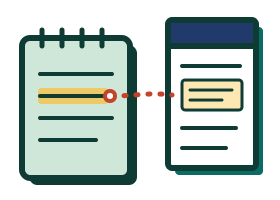


Built for checking
Made for the way reports are reviewed
Every answer traceable
Each drafted answer shows the treatment notes it came from, so checking it means reading the source, not searching for it.
Gaps flagged, never guessed
When the notes do not answer a question, ClinForms says so and leaves it for the clinician instead of filling it in.
Opinions stay with the clinician
Prognosis, causation and fitness for work only appear when a clinician recorded them, and the clinician confirms them before approval.
The original layout, kept
The output is the referrer’s own document with the answers written in – not a new report in a different format.
Checks before approval
Built-in checks flag figures and dates that do not match the notes, and opinion wording that no clinician recorded.
Works alongside your clinic system
Bring the notes in from an export or a printed notes PDF. Nothing changes in how your clinic records care.
Security and data protection
Patient information handled with care
Under UK GDPR your clinic is the controller of its patients’ data and we act as your processor, under a data processing agreement.
Clinician approval first
No form is final, or can be downloaded as final, until the treating clinician has reviewed and approved it.
Every answer cites its source
Each drafted answer links to the notes it came from.
Two-step verification
Every user signs in with a password and a one-time code from an authenticator app.
Encrypted, stored in the EU
Patient information and form files are encrypted at rest with a key per clinic, and the database is stored in the EU.
Audit trail
Sign-ins and changes to users, roles and access are recorded in a log that cannot be edited.
Data minimisation
Names, dates of birth and contact details are removed before notes are used to draft answers.

Questions
Frequently asked questions
Does ClinForms replace our clinic system?
No. ClinForms works alongside your practice-management system. You bring a patient’s notes in by uploading an export or a printed notes PDF, complete the referrer’s form, and keep the approved copy in your own records. If you are choosing a new clinic system, ClinDesk, from the same team, offers ClinForms as its Reports add-on, so the notes are already in the same record and nothing needs uploading.
Which forms does it work with?
Word (.docx) forms and fillable PDF forms. PDFs without fillable fields are supported on a best-effort basis, and you check the placement in a preview before approving. Scanned paper forms are not supported yet.
Some referrers use an online portal instead of a form. Can it help?
Yes. Paste or type the portal’s questions once and ClinForms keeps them like any other form. For each patient the answers are drafted from the notes with their sources and approved by your clinician; you then copy each answer, or all of them at once, into the portal, and download a PDF summary of the questions and approved answers for your records.
Who is responsible for what the form says?
Your clinician. ClinForms drafts answers from the clinic’s own notes and shows where each one came from, but every form is reviewed, completed and approved by the treating clinician before it can be downloaded as final. ClinForms never sends anything to a referrer on its own.
Where is our data kept?
The application runs in London and the database is stored in the EU, encrypted at rest. We act as your processor under a data processing agreement. See Security and our privacy policy.
How is it priced?
Ask us for a quote that fits the number of sites and forms you handle.
How do we get started?
Request access and tell us which referrers’ forms you receive most. We set your clinic up once the data processing agreement is signed, and invite your team. You can try the public demo, with fictional patients, at any time.
Spend clinic time on patients, not paperwork
Tell us which referrers’ forms your clinic receives most, or see the demo first.
Or try the interactive demo with fictional patients. No sign-up needed.
Getting started
ClinForms set-up
- Call
- 15 minutes, arranged by email
- Bring
- the forms you get most
- Then
- agreement signed, team invited